
Clipping a video from a link
A talk you gave that is already online, an episode published somewhere else, a recording a client sent you a link to. Obiklip can fetch it and work from that.
| You need | A link to a video you have the right to use. |
|---|---|
| It costs | Nothing to fetch. Analysing it afterwards costs the length of the recording, like any other. |
1. Decide where the file should live
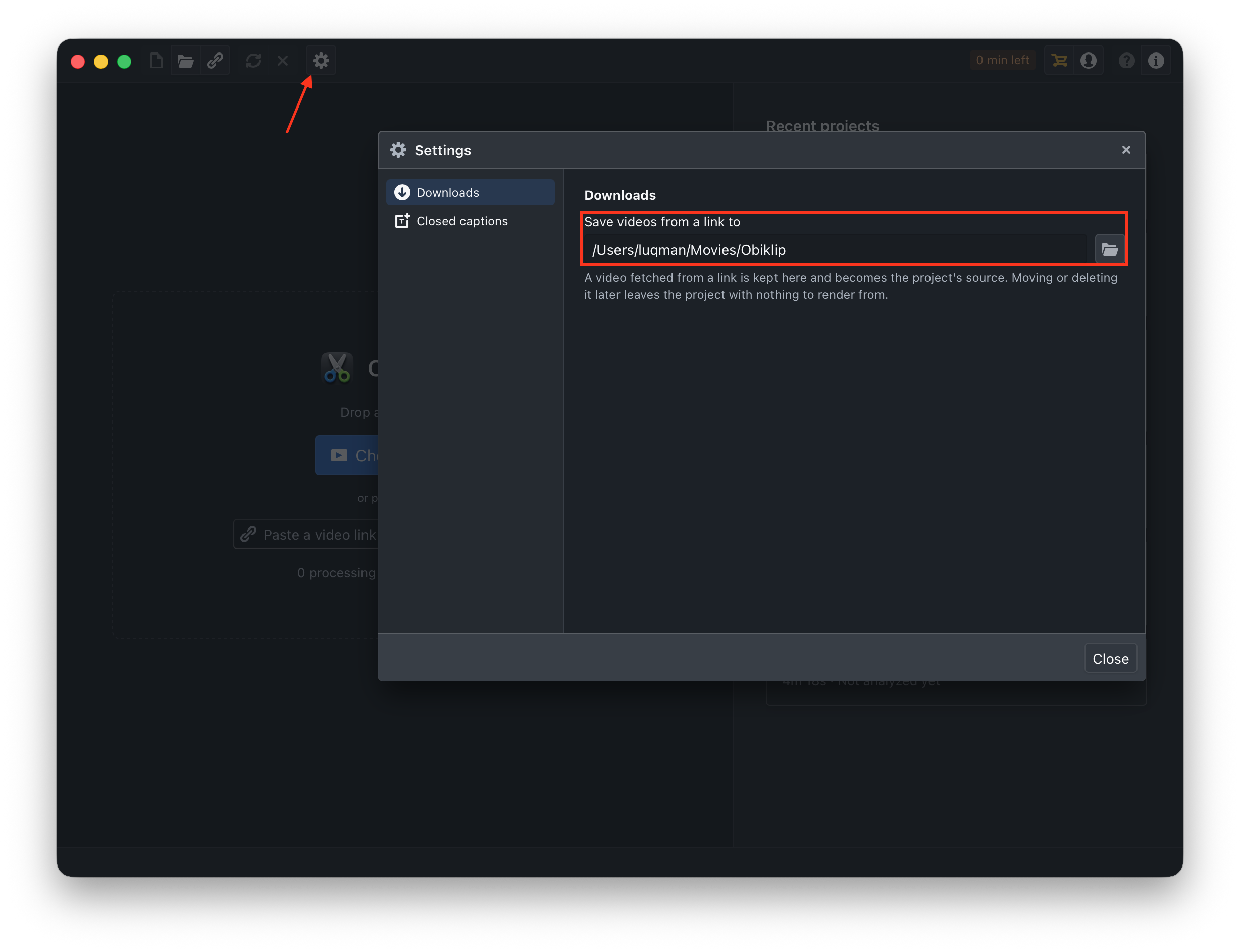
Open Settings → Downloads and set Save videos from a link to a folder you will not tidy away later.
This matters more than it looks. The fetched file becomes the project's source: move it or delete it and the project has nothing left to play or render. Somewhere permanent, not the Desktop.
2. Paste the link
Paste it into the bar at the top of the window and press the arrow. Obiklip fetches the video and shows the progress; Stop cancels it, and nothing has been spent either way.
3. Carry on as normal
When the file has arrived you get the usual confirm screen: what was found, and which language is spoken. From here it is an ordinary project - analyse it, review the clips, export.
If the link will not come through
Some videos cannot be fetched, and no setting changes that:
- It needs a sign-in, or it is private.
- The site does not allow downloading.
- It is not available in your part of the world.
Get hold of the file by whatever means you are entitled to use, then open it directly - from Obiklip's point of view there is no difference.