Fixing a cut that starts too early
The clip is good, but it opens on half a word, or on a breath before the sentence gets going. Here is how to land it properly.
| It costs | Nothing. Moving a boundary is editing, and editing is free. |
|---|---|
| Time | A minute per clip once you have the habit. |
1. Find where the thought actually begins
Play the clip and listen for the first word you would keep if you were reading it aloud to somebody. Usually it is a few words in: past the “so”, past the “I mean”, at the point the speaker commits to the sentence.
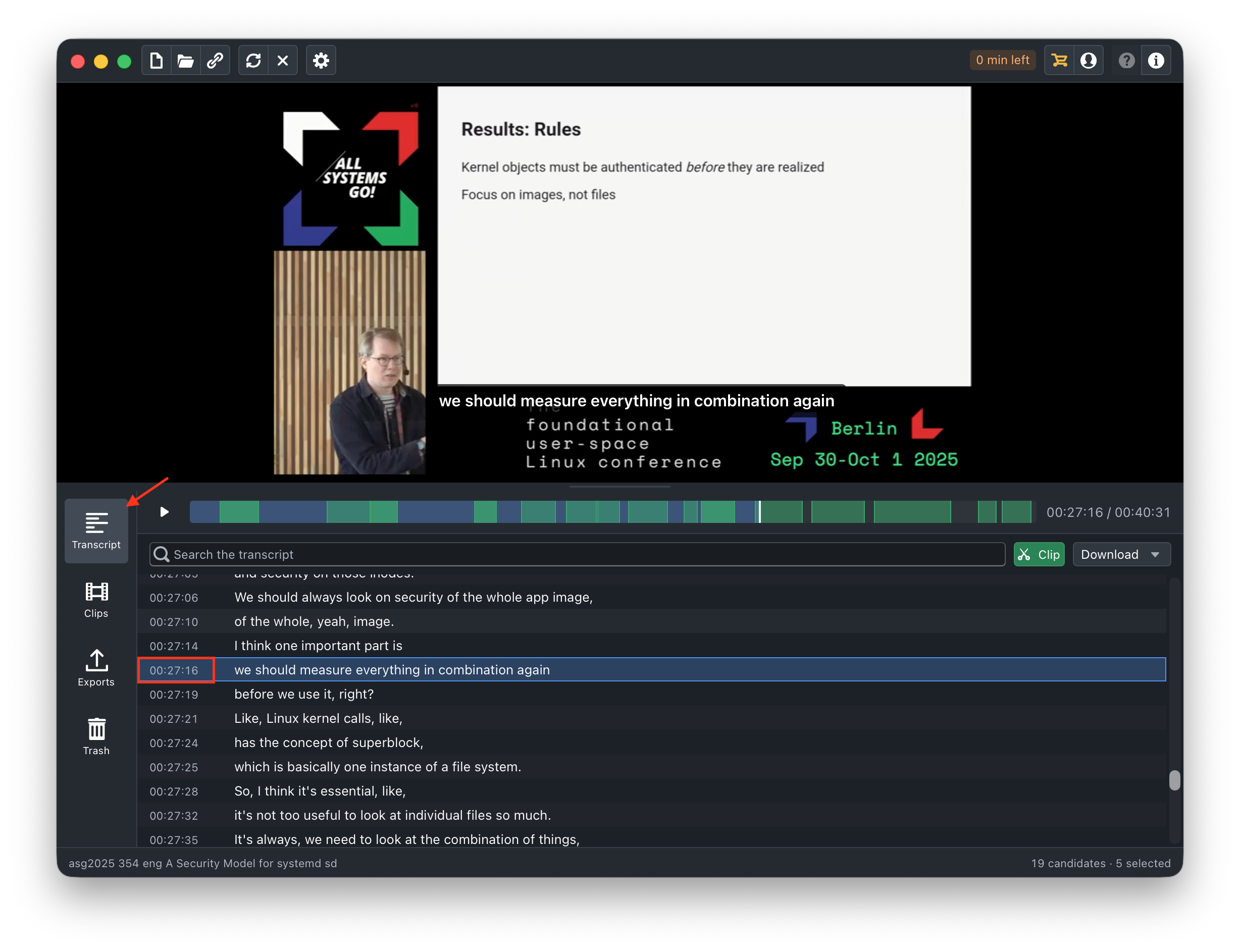
The transcript panel is the fastest way to see it written down. Click the line and the video jumps there.
2. Drag the start handle
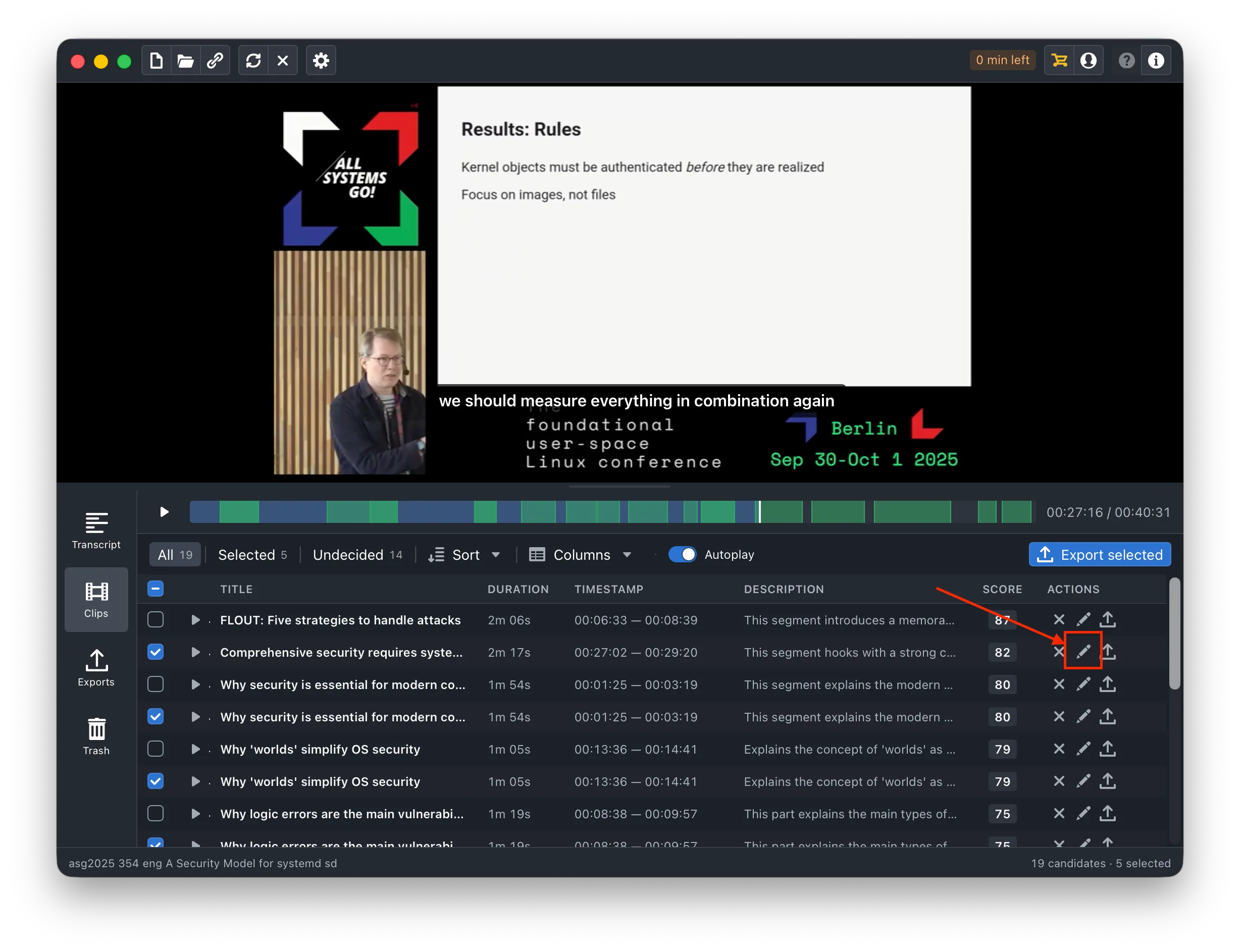
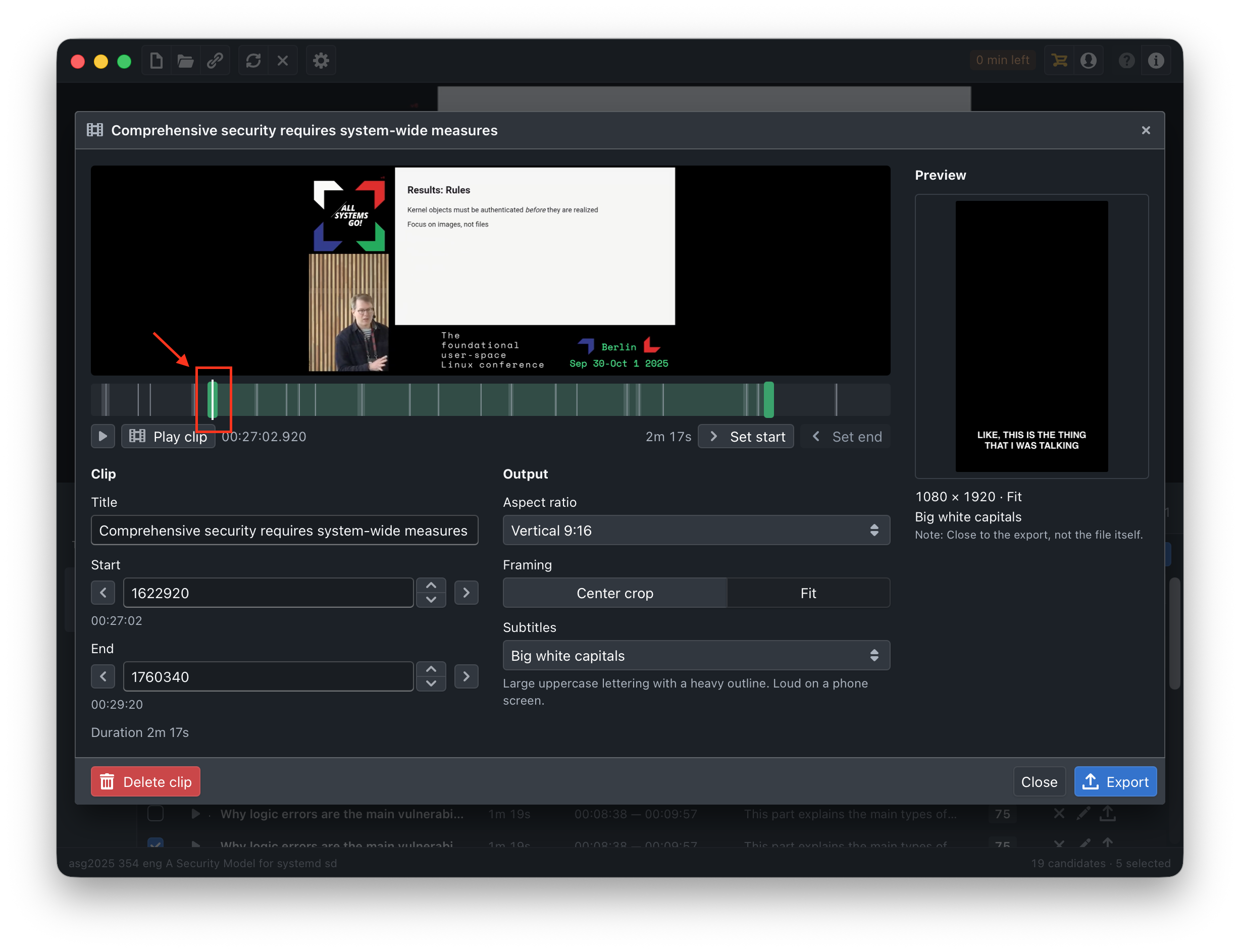
Open the clip and drag the start handle to roughly the right place. Roughly is fine: Obiklip settles the cut onto a nearby pause instead of exactly where you let go, so a clip does not open halfway through a word.
3. Nudge it
Use the small arrows next to Start for a fine correction, and the timecode underneath if you would rather type a number than aim at a handle. Play it back after each change - it is quicker than reasoning about it.
4. Do the same at the end
The end matters as much as the start. A clip should finish on the last word of the point, not trail into the next sentence and stop halfway. If the speaker's next breath is audible, you went one word too far.
5. Leave a little air
Obiklip already keeps a small amount of room at each end on purpose - a clip that begins on the speaker's first syllable feels amputated. If it still sounds tight, give it another fraction of a second rather than trimming closer.