
A recording that is not in English
Obiklip handles around a hundred spoken languages. There is one thing to get right, and it takes two seconds: tell it which one before the run starts.
Why not just let it detect?
Detection works, most of the time. When it does not, you do not get a warning - you get a transcript that reads like nonsense, clips chosen from that nonsense, and subtitles to match. The only fix at that point is to run the whole recording again, which uses another Free analysis and another OpenAI call.
Detection is at its worst exactly where people rely on it:
- Recordings that open with music, an introduction, or silence.
- Conversations that switch between two languages.
- Speech with a lot of borrowed English words in it.
1. Choose the language on the confirm screen
After you open a recording, the confirm screen has a language picker. Type the first letters of the language - the list is long enough that scrolling is a waste of time - and choose it.
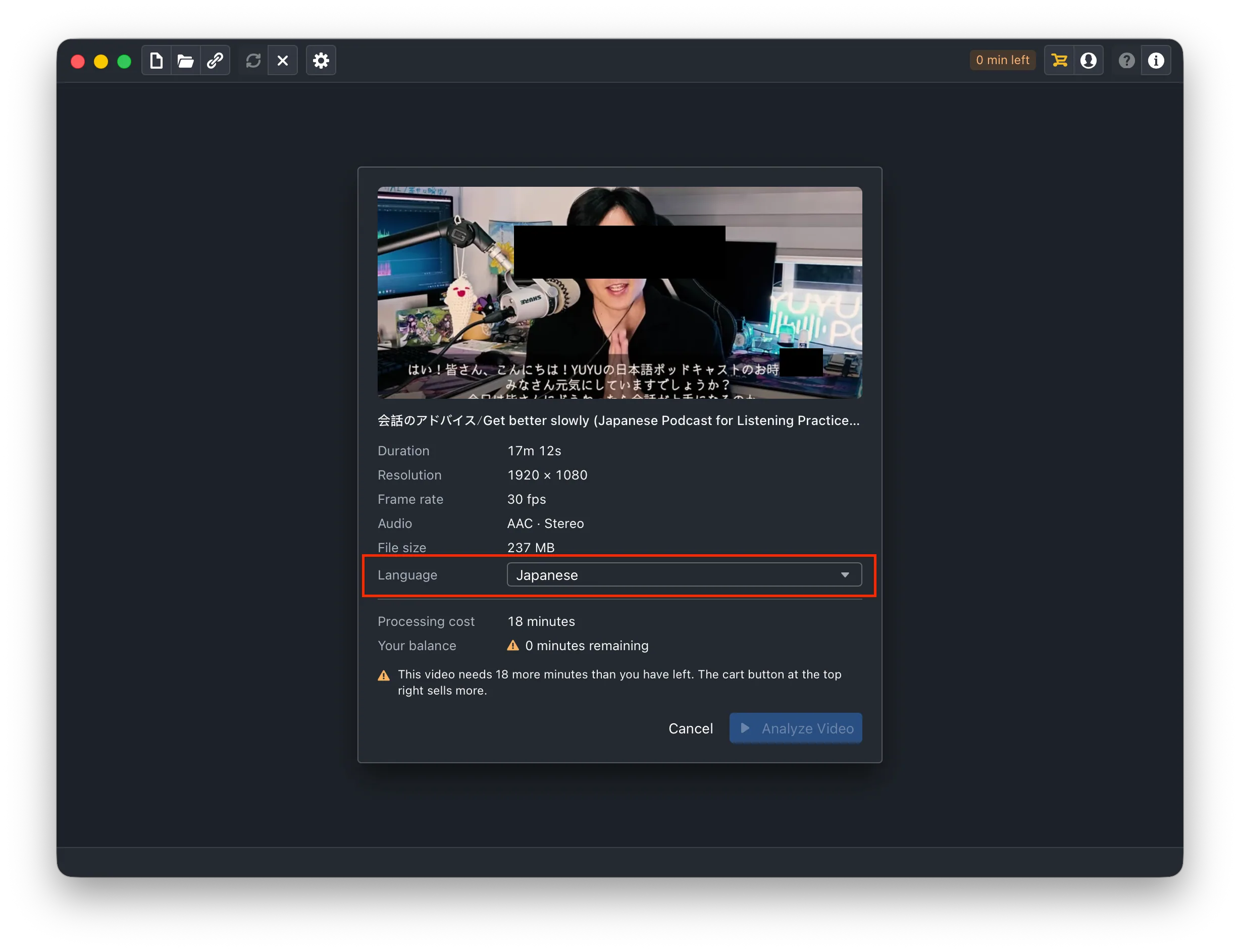
The choice is remembered on the project, so a recording you come back to later is not asked about again.
2. What to choose for a mixed recording
Choose the language most of the speech is in, not the one the technical terms come from. A talk in Malay with English words scattered through it is a Malay recording, and saying so gives a better transcript than Auto will.
3. Check the first clips
Play two or three and read the subtitles rather than watching the picture. Names and terms are where transcripts slip in any language; fix them in the transcript panel and the correction carries into the export.
If it did come out wrong
Re-analyze Video with the language chosen explicitly. It is a second run, uses another Free analysis and is billed again by OpenAI. That is why the question is asked before the first call starts.